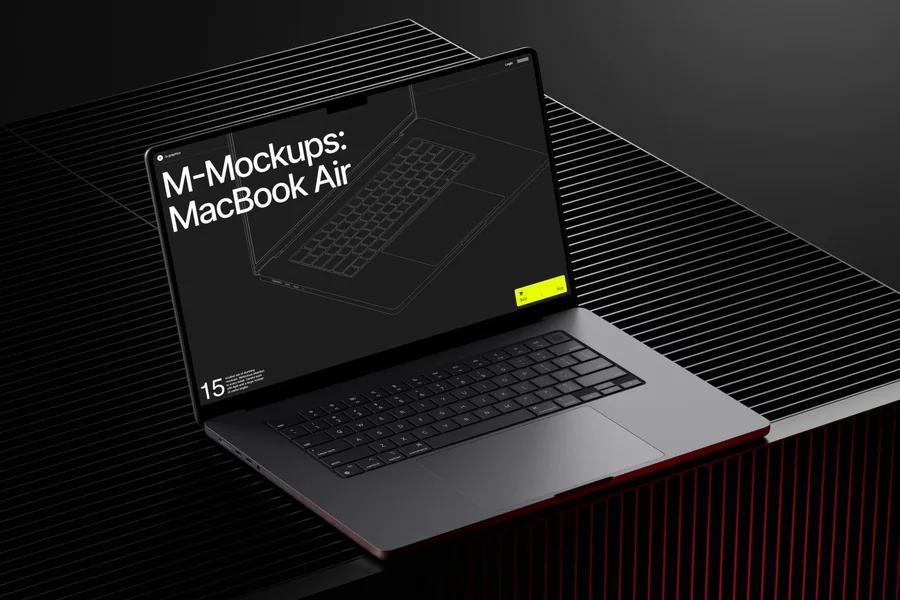
In today’s fast-paced digital design world, agencies face constant pressure to deliver flawless user interfaces across multiple devices. A single overlooked UI issue can disrupt a user’s experience and compromise the success of an entire project. This is where MacBook mockups have become an indispensable tool for designers and agencies aiming for perfection.
The Role of MacBook Mockups in UI Design
MacBook mockups provide designers with a realistic preview of how applications, websites, and digital products appear on a MacBook screen. Unlike traditional wireframes or flat designs, mockups bring interfaces to life, allowing designers to spot misalignments, spacing inconsistencies, or visual elements that may disrupt the user experience. They also help test color schemes and typography, ensuring that fonts and layouts appear consistently across devices.
For example, a design agency recently used a MacBook mockup to present a new e-commerce website to a client. The mockup revealed that while the product grid looked perfect on desktop, it appeared slightly off on a MacBook screen. Catching this issue early allowed the team to adjust margins and padding before development, saving both time and resources while ensuring a polished final product.
Why Agencies Prefer Premium Mockups
Not all mockups are created equal. Agencies often turn to premium resources like ls.graphics to access high-quality MacBook mockups that enhance both workflow and presentation. Some standout features of these mockups include:
- Ultra-realistic rendering that closely mirrors actual MacBook screens.
- Organized layers that simplify editing and customization.
- Multiple angles and perspectives to visualize different user scenarios.
- Diverse color styles and stylish minimalistic compositions suitable for modern designs.
- Extremely user-friendly format, enabling fast insertion into presentations and design previews.
A marketing agency, for instance, used an ls.graphics MacBook mockup to showcase a SaaS dashboard during a pitch. The realistic reflections and subtle shadows made the interface appear exactly as it would to the end-user, impressing the client and increasing the likelihood of project approval.
Real-World Applications
Agencies leverage MacBook mockups in various ways:
- UI Testing:Before final implementation, designers place their layouts in a MacBook mockup to catch inconsistencies in fonts, icons, or button sizes.
- Client Presentations:Mockups elevate a static screenshot into a compelling visual story, demonstrating how the product will look in real-world usage.
- Marketing Campaigns:Digital product images using MacBook mockups enhance social media and ad campaigns by presenting software in a professional and appealing context.
For example, a creative studio used MacBook mockups to test a financial app’s UI. By presenting interactive dashboards on a MacBook mockup, the team identified that certain charts were slightly cut off on smaller screens. Early detection enabled smooth adjustments before the app went live.
Enhancing Collaboration with MacBook Mockups
Beyond UI testing and client presentations, MacBook mockups play a crucial role in fostering collaboration within design and development teams. When multiple stakeholders—from designers and developers to project managers—view the same realistic mockup, it reduces miscommunication and ensures everyone is aligned on the project vision. Designers can annotate elements directly on the mockup, highlighting potential interaction issues, while developers gain a clear understanding of spacing, proportions, and interface behavior.
For instance, a web design agency working on a subscription-based platform used a MacBook mockup to coordinate between the design and development teams. By sharing the mockup during weekly reviews, the teams were able to quickly spot minor alignment issues and optimize the layout for responsiveness. This collaborative approach significantly reduced back-and-forth revisions and accelerated the project timeline.
Conclusion
MacBook mockups are no longer optional—they are essential for agencies striving to deliver flawless UI experiences. By using high-quality resources like ls.graphics, agencies can identify UI issues early, present designs professionally, and enhance collaboration between designers, clients, and developers. From real-world testing to client presentations, MacBook mockups streamline the design process, saving time and improving results. Investing in premium mockups is a small step that yields significant returns in precision, efficiency, and client satisfaction.