Adobe Express is a powerful yet user-friendly design tool that empowers individuals and businesses to create stunning visuals with ease. From social media graphics to marketing materials, presentations, and more, Adobe Express offers a wide range of templates and customization options to suit every need.
Elevate Your LinkedIn Profile with a Custom Banner
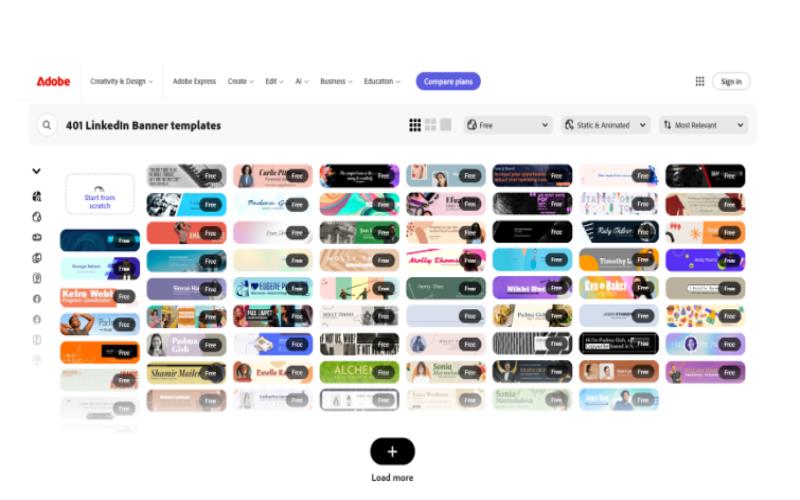
One of the most effective ways to make a strong first impression on LinkedIn is with a visually appealing banner. Adobe Express provides a variety of LinkedIn banner templates that you can easily customize to showcase your brand or personal identity.
Key Features of Adobe Express:
- Intuitive Interface: A simple drag-and-drop interface makes design accessible to everyone, regardless of technical expertise.
- Vast Template Library: Choose from a vast collection of professionally designed templates for various occasions.
- Customizable Elements: Easily personalize your designs with text, images, icons, and other elements.
- Brand Kit: Create and manage your brand’s colors, fonts, and logos for consistent branding.
- Collaboration Tools: Work seamlessly with your team members to create and share designs.
How to Create a LinkedIn Banner with Adobe Express:
- Choose a Template: Select a LinkedIn banner template that aligns with your professional goals.
- Customize Your Design: Add your name, job title, a professional headshot, and a brief tagline.
- Add Your Brand Elements: Incorporate your brand’s colors, fonts, and logo to create a cohesive look.
- Optimize for LinkedIn: Ensure your banner is the correct size and resolution for optimal display on LinkedIn.
- Download and Upload: Download your completed banner and upload it to your LinkedIn profile.
By using Adobe Express to create a custom LinkedIn banner, you can significantly enhance your professional profile and attract potential employers or clients.
With Adobe Express, you can unleash your creativity and design stunning visuals that leave a lasting impression.